All PolicyPal Features PLUS...
EASILY MANAGE POLICIES ACROSS YOUR TRUST WEBSITES
Centralised Management Portal
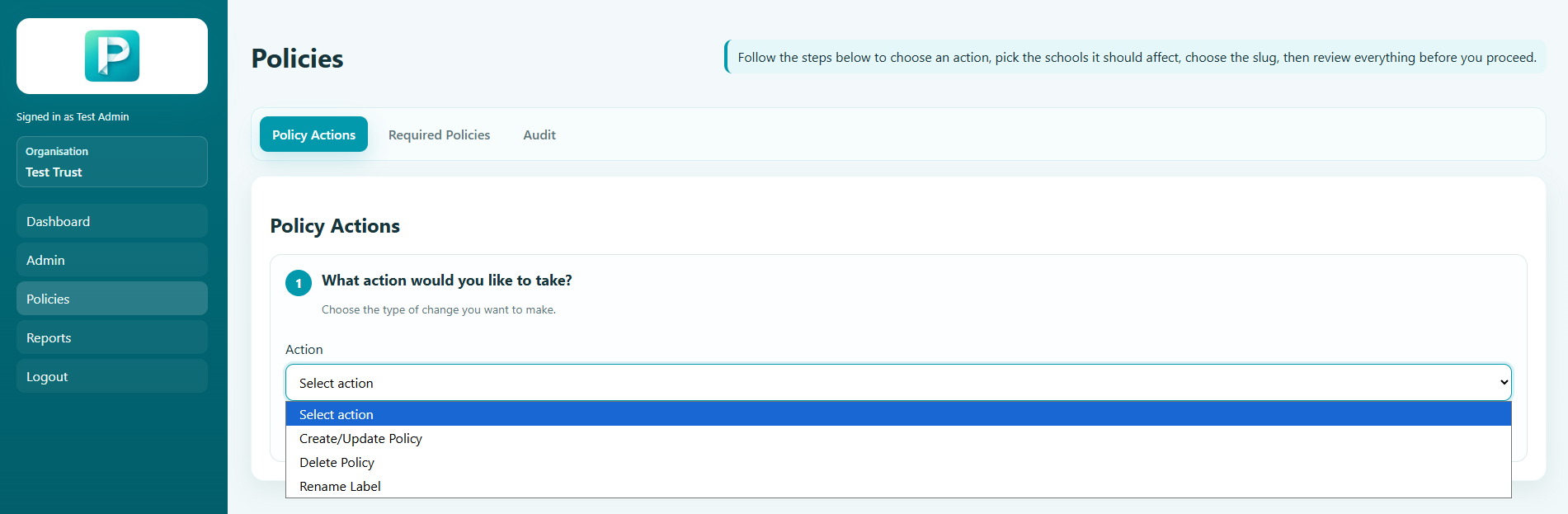
Manage Policies for all schools from a central location in the management portal. This panel contains the following features:
- Add policies
- Delete Policies
- Rename Policies
- Update the Policy Document (this keeps the slug the same, ensuring minimum changes are required)
- Set expiry dates
- Lock Policies to prevent accidental editing
- Change the slug for the policy
- Updating or deleting a policy deletes the old file from the websites automatically, Ensuring outdated policies are not displayed in search engine results
USE AI TO REDUCE YOUR WORKLOAD
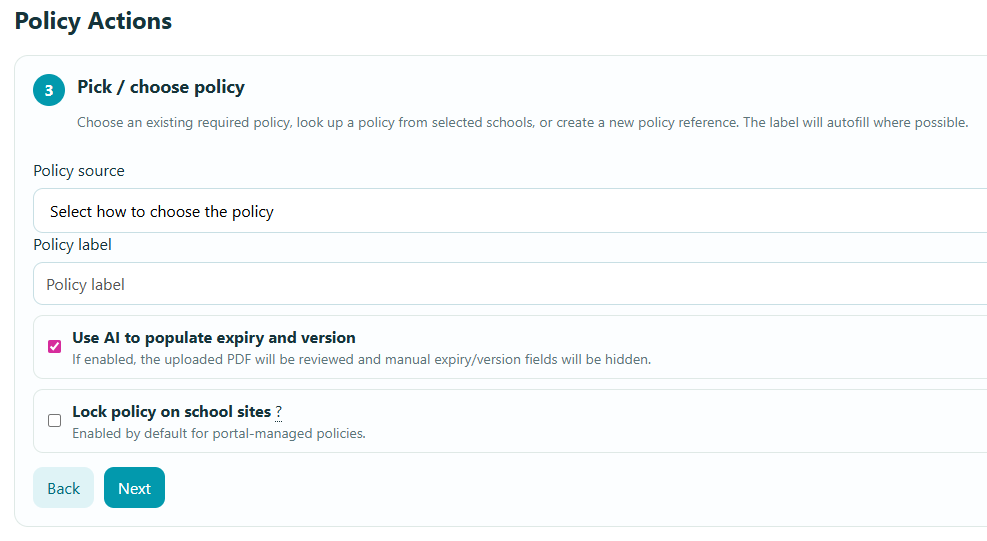
Optional AI Powered Expiry Date Detection
Optionally use AI to detect the Expiry date when uploading a policy, removing the need for you to set it manually.
REQUIRE POLICIES FROM EVERY SCHOOL
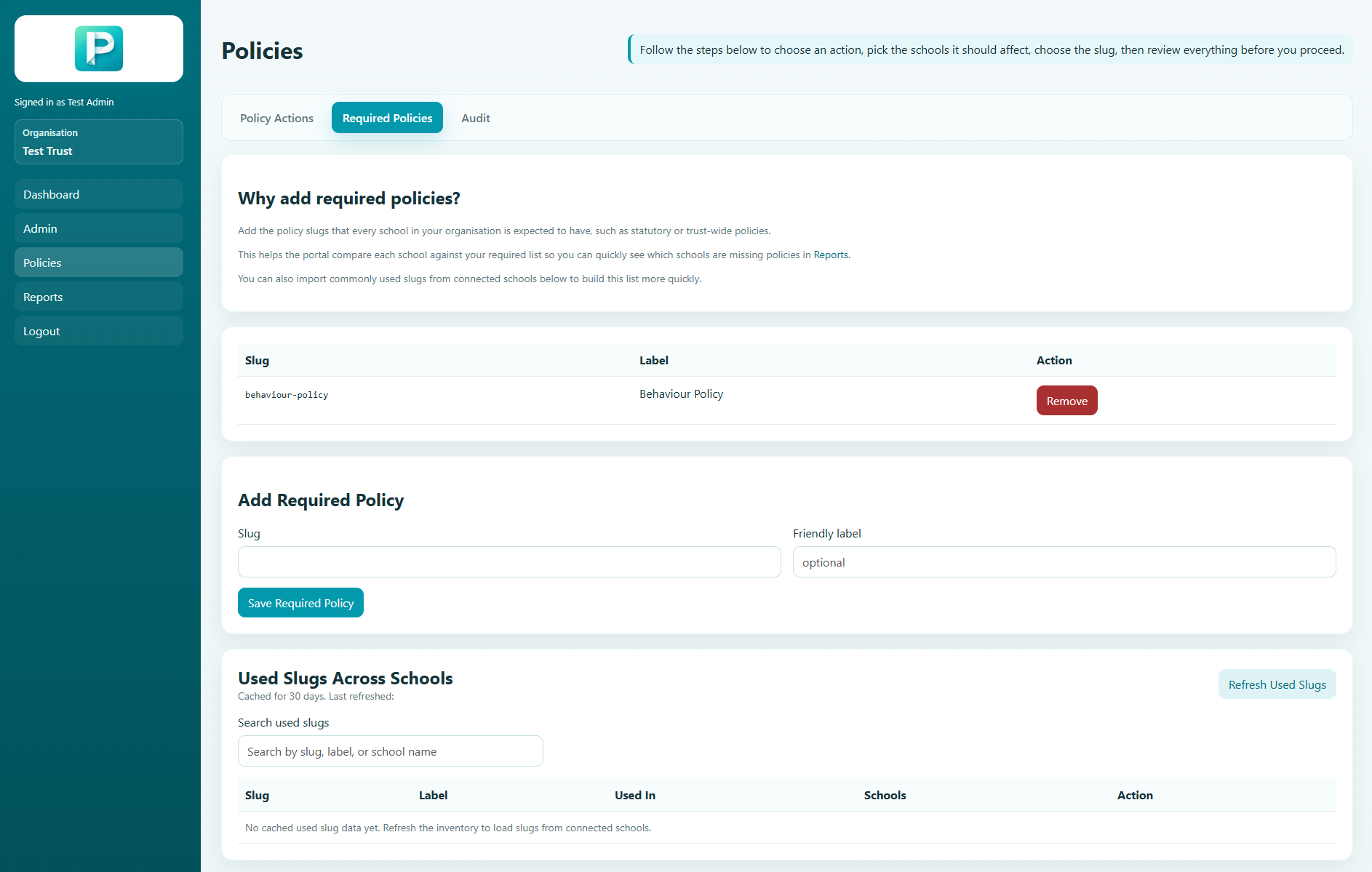
Set Required Policies
Set Required Policies for the Trust, that all schools must have. This will allow you to use the reporting features to monitor if any of your schools are missing policies.
SEE EXACT DETAILS OF PAST ACTIONS
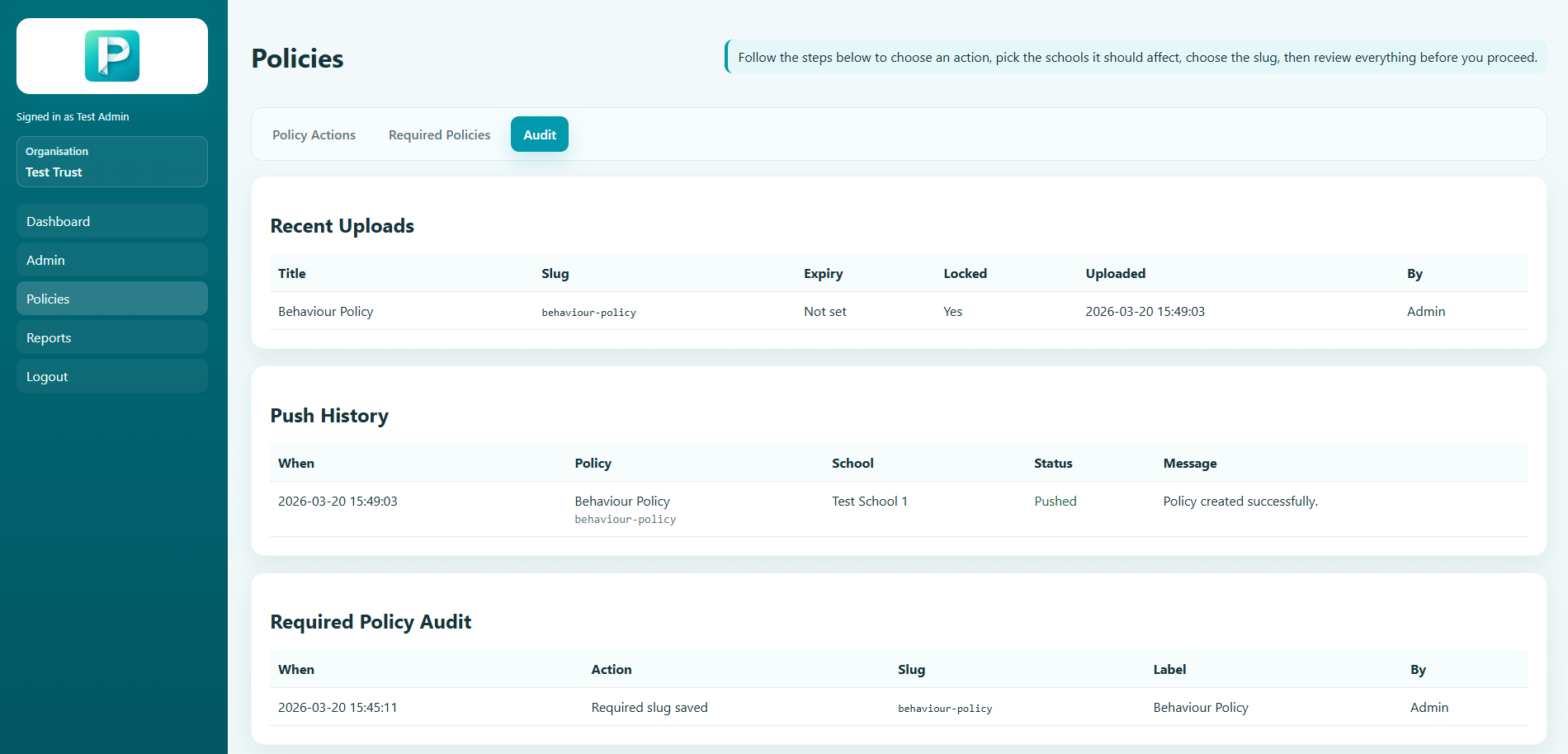
Audit Log
An audit log allows you to see what changes were made, by who, and when.
CONTROL HOW MUCH ACCESS TO GIVE USERS
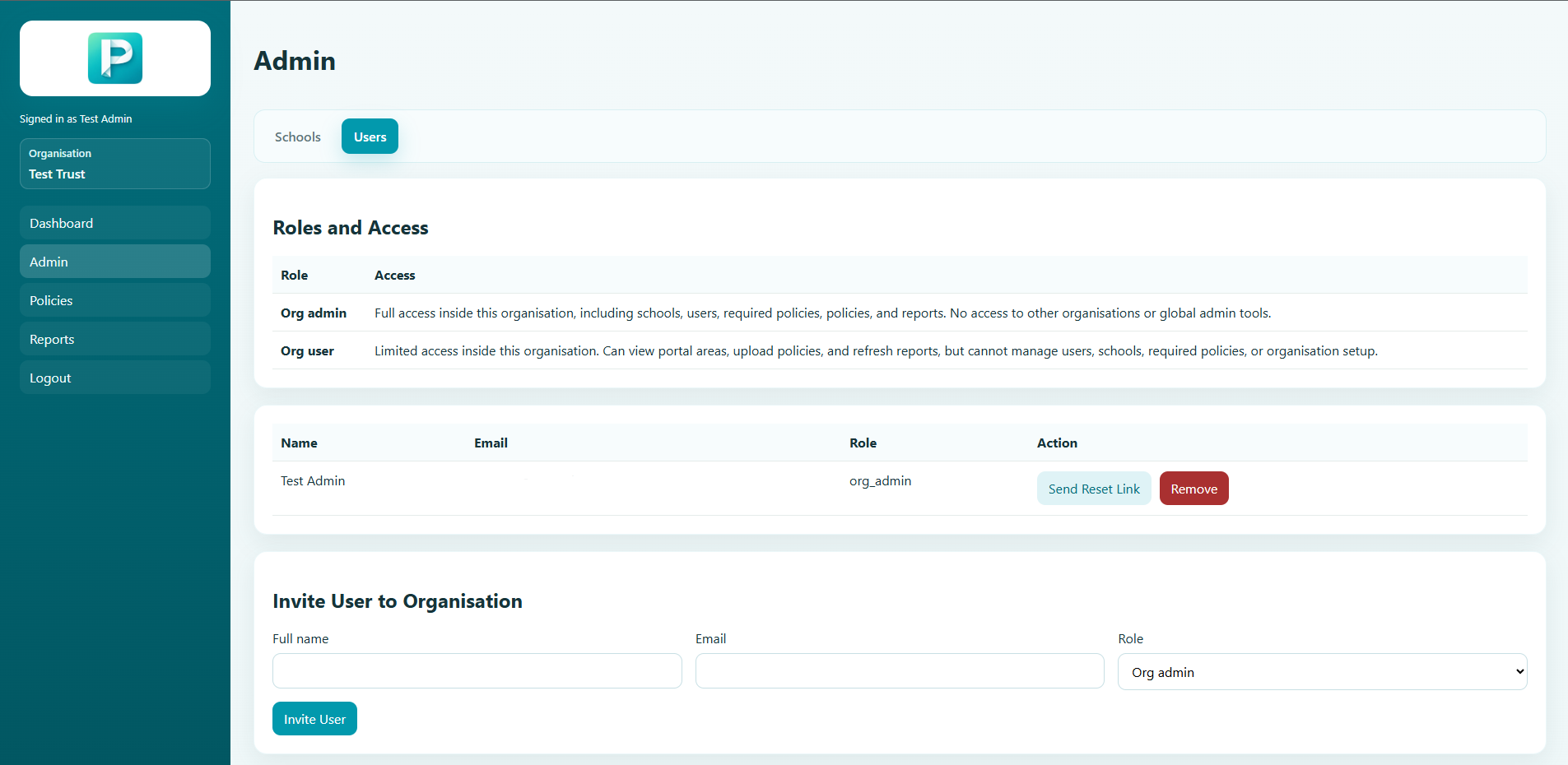
Role Based Access Permissions
Role based access permissions allow you to setup users, and control how much power they have within the portal.
DETAILED COMPLIANCE INFO AT YOUR FINGERTIPS
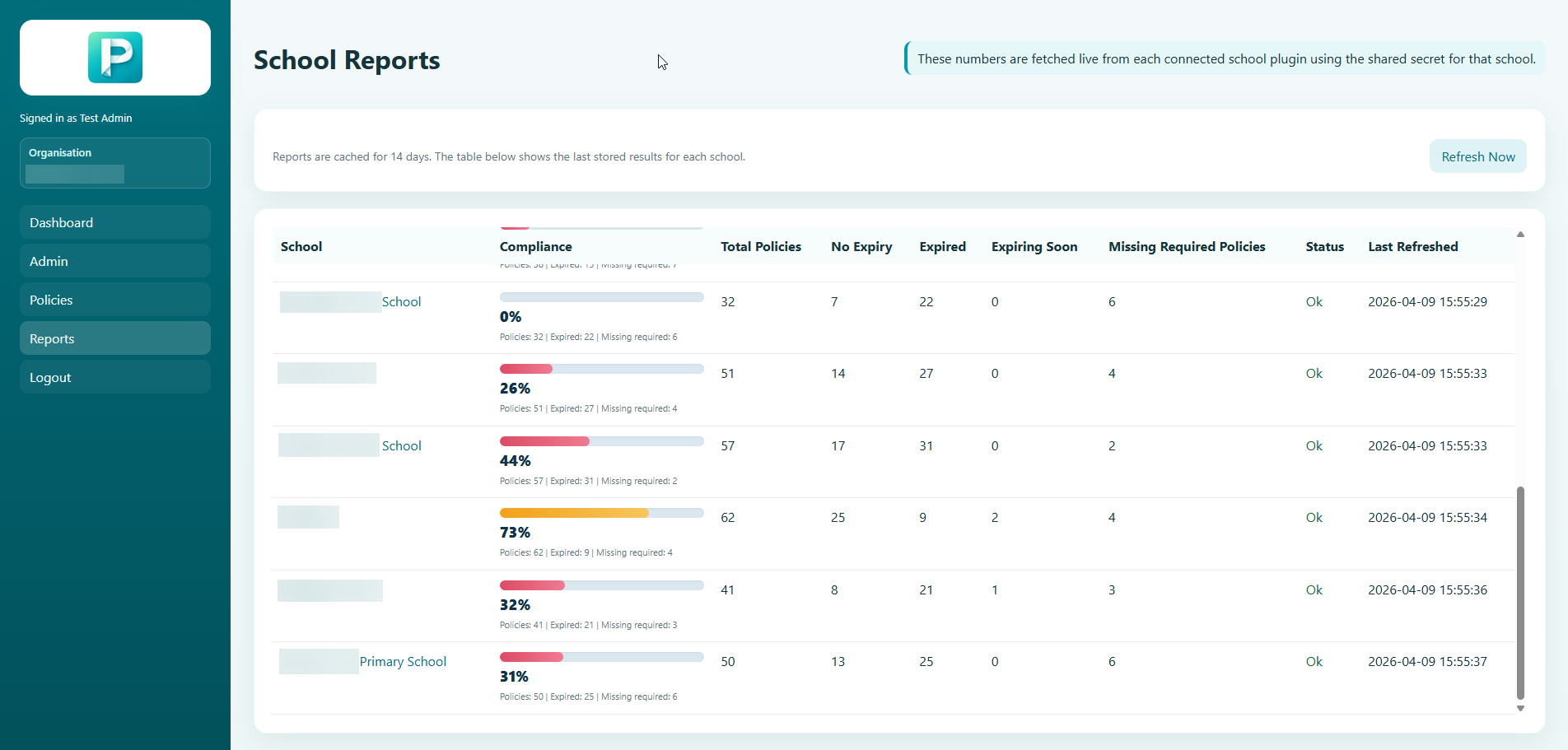
Per School Reporting Across The Trust
Powerful per school reporting tools that allow you to monitor for Compliance. This displays missing or expired policies, as well as the number of policies per school.